

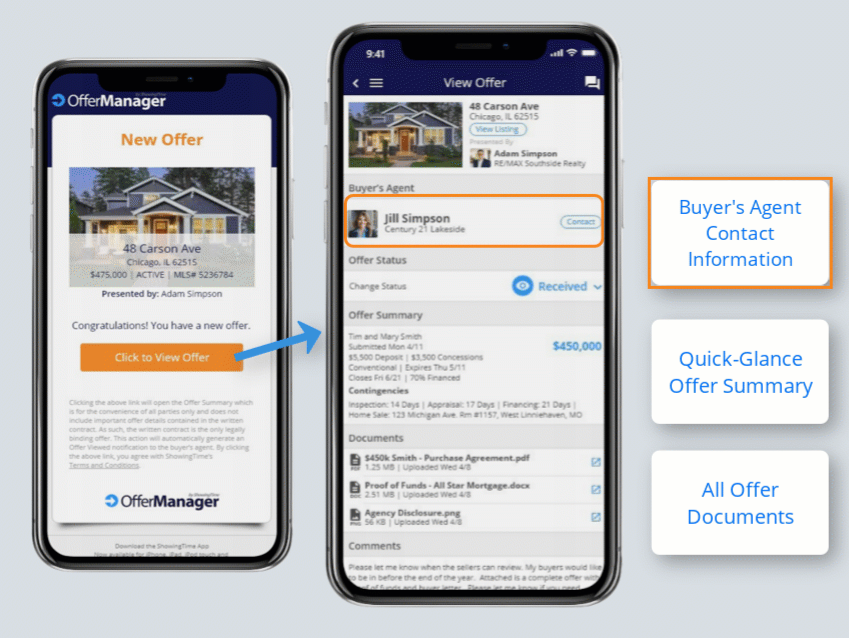
Offer Manager brings organization, clarity, and better communication to one of the most critical parts of the transaction: managing offers. Integrated with South Texas MLS and built into the ShowingTime platform on both desktop and mobile, it replaces scattered emails and manual spreadsheets with a single, streamlined workflow for submitting, tracking, and comparing offers.
Buyer's agents submit offers directly through the MLS instead of by email, and Offer Manager takes it from there. It works for everyone regardless of communication style or e-form provider, and the signed purchase contract remains the only legally binding agreement, so you negotiate, counter, and sign exactly as you always have.
Click the link below to watch a recording of the latest Offer Manager training webinar!
For Listing Agents
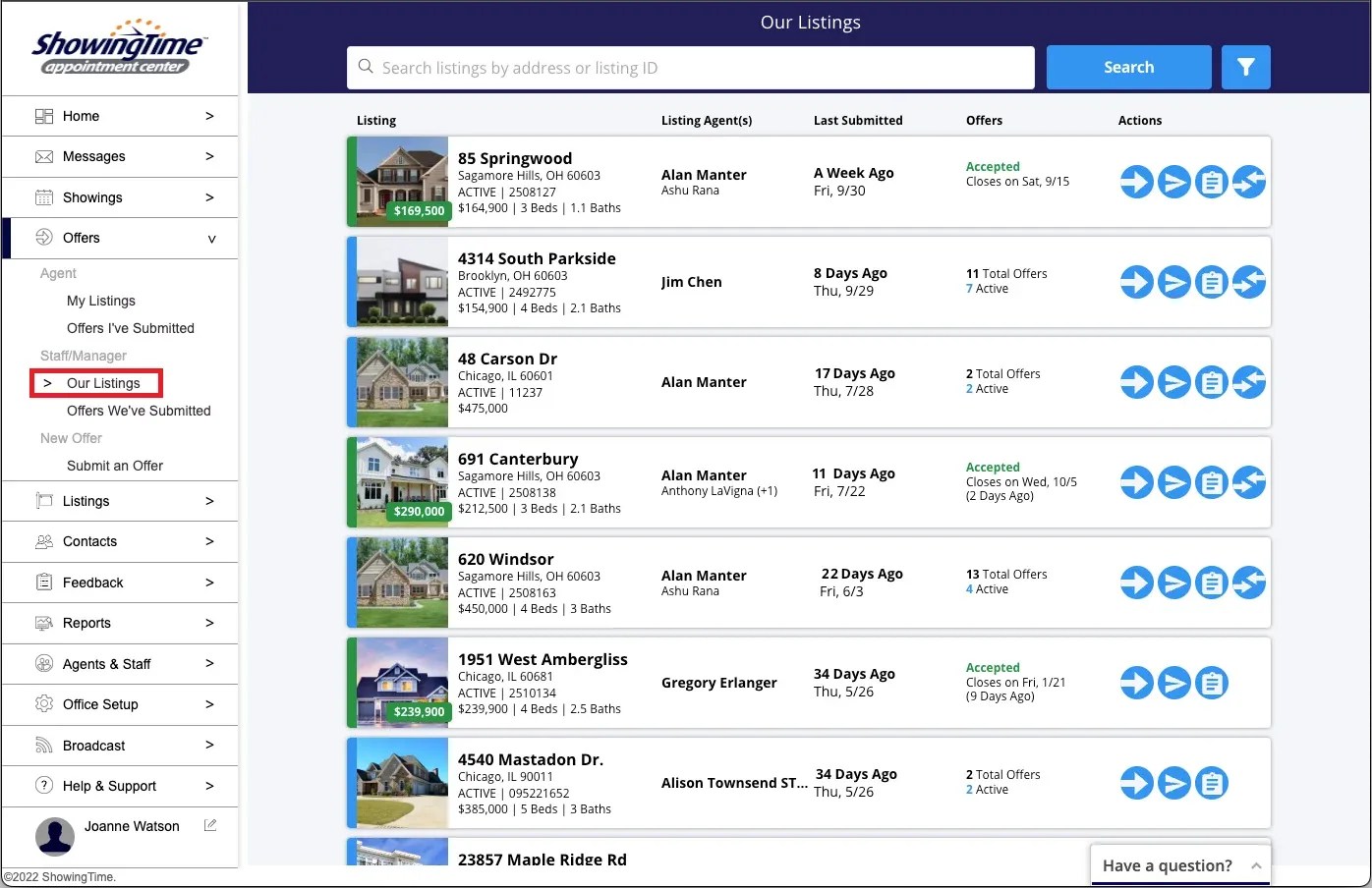
All offers in one place. Offers are automatically organized and stored by listing, accessible 24/7 from desktop or mobile, with color-coded status and quick action buttons for easy management.
Never miss an offer. Get notified of new offers by text, email, and app push. Notifications are customizable per listing and work seamlessly for co-listing agents, teams, and assistants.
Set clear expectations. Add offer instructions to each listing so buyer's agents know exactly what a complete offer requires, cutting down on back-and-forth.
Streamlined communication. Buyer's agent contact information is stored with every offer, so you can call, text, or email with one touch, send status updates, or mass-email all buyer's agents at once (helpful for a "highest and best" request).
Side-by-side comparison for sellers. Send your seller a professionally formatted comparison of all offers from your phone or laptop in about 30 seconds, with no manual spreadsheet work.
Fast, clean closings. When you accept an offer, Offer Manager can automatically decline all others and notify those buyer's agents in seconds.
Offer Manager Help & Training
A complete guide to getting started with Offer Manager. This resource walks listing agents through setup, from updating contact information and customizing offer preferences to setting default offer instructions and configuring delivery per listing. It also covers how buyer's agents submit offers through the MLS, how listing agents receive and organize offers, communicate with buyer's agents, edit offer details and status, and counter or accept offers. Includes step-by-step instructions and screenshots for both desktop and mobile.

For Buyer's Agents
Confirmation your offer was received. Submit through the MLS and get notified the moment the listing agent opens your offer, with the exact date and time, which you can forward to your buyer.
Better communication throughout. Because your contact information travels with the offer, listing agents can keep you updated easily, so you stay informed and better serve your clients.
Note that buyer's agents do not have a login to view offer details, edits, or status. All updates come directly from the listing agent.
Offer Manager is available to STX MLS users and can be managed on the go through the ShowingTime mobile app.
Click the link below to see more information about Offer Manager by ShowingTime.